Photold
AI Christmas Photos: Restore, Colorize and Reunite the Family
By the Photold team · · 5 min read
Photold is our own app, so we are not neutral here. What we say about other apps comes from their own public pages, checked on the date shown.
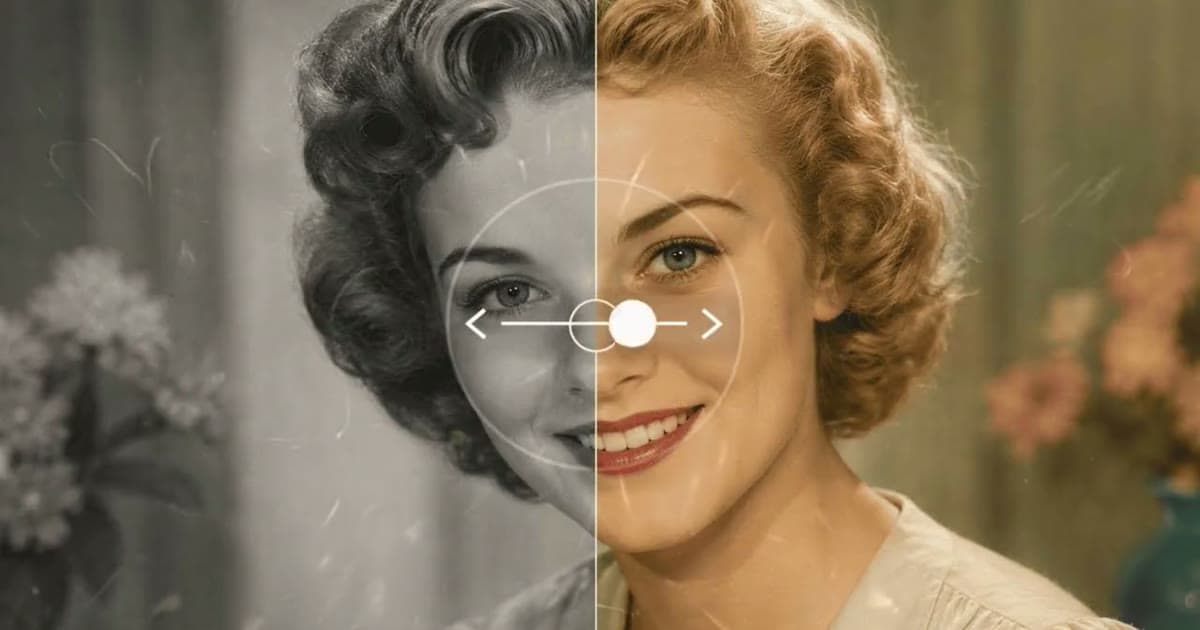
The most meaningful AI Christmas photos often start with pictures you already have: a faded Christmas morning from the 1970s, a black and white portrait by the tree, grandparents who are no longer at the table. With AI you can repair those photos, add natural color, make a portrait move gently, or bring relatives from separate photos into one family portrait.
Below: which tool fits which photo, how to get everything scanned in time, what to expect from color, and how to turn the results into cards and gifts. Photold covers the repair, color, animation and family portrait parts. It does not put people into a new festive scene; for that, we include a prompt you can use in a general image assistant.
Match each Christmas photo to the right tool
| The photo you have | Tool | What you get |
|---|---|---|
| A faded, scratched Christmas morning print | Restore | Damage repaired, faded detail brought back, the original palette kept |
| A black and white family portrait by the tree | Colorize | Natural, slightly muted colors plausible for the era |
| Grandma smiling at the camera in an old snapshot | Animate | A short video with gentle movement, a smile, a wave or a nod |
| Relatives who each appear in different photos | Family Portrait | One group portrait of 2 to 5 people, one per photo |
| Two people who were never photographed together | Combine Photos | Both people in one image, under one light |
For a photo with both damage and no color, repair first and colorize second. Our guide to restoring old photos explains the order.
Find and scan the Christmas photos early
December is when everyone wants the same photos at once, so start now.
- Look beyond the albums. Christmas photos often sit in shoeboxes, in frames and in old greeting cards that families sent each other.
- Ask relatives to check their own boxes. Each branch of the family often has photos the others have never seen.
- Scan flat and without glare. Tinsel, glass ornaments and a flash make reflections worse, so tilt the print away from the light. Our guide to scanning old photos with your phone has the details.
- Keep the untouched scans in one shared folder, so anyone in the family can start again from the original.
What to expect when you colorize a Christmas photo
Colorize gives plausible colors, not a record of what was there. The tree will be green and the lights warm, but the sweater Grandpa wore might have been blue rather than red. Christmas photos are where families tend to remember colors, so show the result to the people who were there and ask what they remember. A faded color print is a different job: our guide to fixing faded and yellowed photos covers it.
Have an old Christmas photo that has seen better days? Restore or colorize it in Photold.Try Photold
A Christmas family portrait with everyone in it
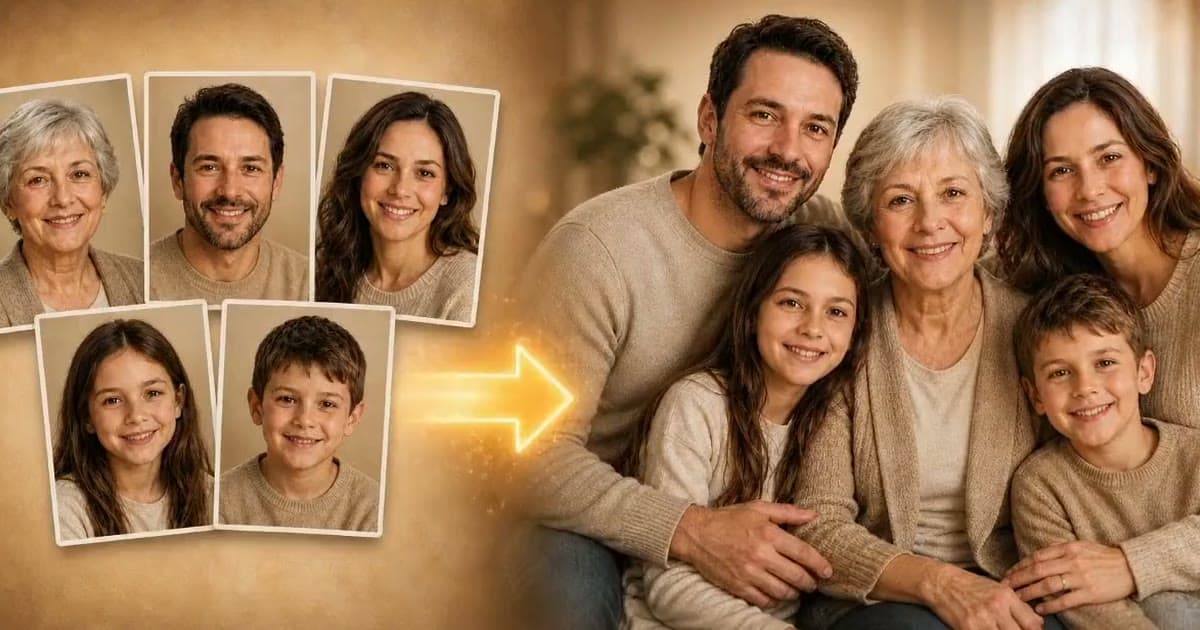
Family Portrait takes 2 to 5 photos, one person per photo, and makes a single group portrait with exactly that many people. It keeps each person's face and apparent age, so it can put a grandparent from the 1980s next to a grandchild from this year. The setting is a warm, neutral room rather than a Christmas scene, so add the festive touch with a card design or a frame. Our guide to making a family portrait from separate photos explains how to choose the photos.
If one of the people has died, Christmas can make the picture feel especially tender, and especially sensitive. Talk to close family before you share it. Our guide to adding a loved one who has passed away to a photo covers this with care.
If you want a festive scene: a prompt that keeps faces
Many people search for an AI Christmas photo of their family in front of a tree. That means generating a new scene, which a general image assistant such as Gemini can do from a prompt. In Gemini you need to be signed in, and Google says editing images is not available to users under 18. Try:
"Place the people from this photo in a cozy living room with a decorated Christmas tree and warm string lights. Keep every face, age, expression, skin tone and the number of people exactly the same. Keep their clothes as they are. Soft, warm light, natural photo style."
Then compare each face with the original. Our restoration prompts guide explains why the line about keeping faces matters most.
Turn the results into cards and gifts
- A Christmas card with a then-and-now pair: the restored childhood Christmas next to this year's photo.
- A framed print for a grandparent. Check how big you can print before you order, and order a small test print first.
- A short animated clip shared in the family chat on Christmas morning. Animate is personal: some people love it, some find it strange, so think about who will see it.
- A small album of restored Christmases, one per decade. We have more gift ideas with restored photos.
Label anything AI-made, on the back of a print or in the file name, so nobody in fifty years mistakes a combined portrait for a real Christmas.
Frequently asked questions
Can AI make a Christmas photo from an old family photo?
Yes. You can restore, colorize or animate the old photo, or bring relatives from separate photos into one family portrait. A new festive background needs a general image assistant and a prompt.
How do I restore old Christmas photos?
Scan them flat without glare, keep the untouched scans, then use a repair tool such as Photold's Restore. Colorize afterwards if the photo is black and white.
Can I make a Christmas family photo with someone who has passed away?
Yes, with Family Portrait or Combine Photos. Talk to close family first and label the picture as AI-made.
Is there a free way to try an AI Christmas photo?
On the Photold website you can try one image feature, such as Restore, Colorize or Family Portrait, once for free without an account. Animate is not part of the free try.