Photold
How to Fix Faded and Yellowed Old Photos
By the Photold team · · 6 min read
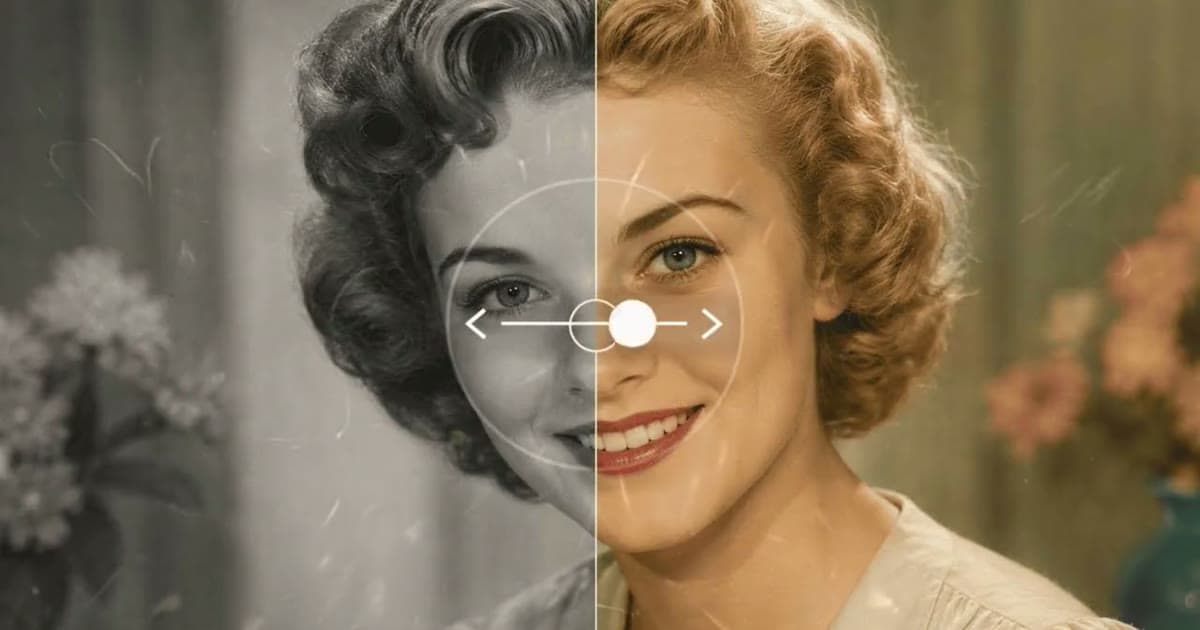
To fix a faded or yellowed photo, first work out which kind of fading you have. A black-and-white or sepia print that has gone pale needs its contrast rebuilt. A color print that has drifted toward red or orange needs its color balance corrected. You can do both on a scan, by hand with levels and white balance, or with an AI tool.
The print itself will not un-fade, and it will keep fading if it stays where it is. So there are two jobs here: fixing the file, and moving the print somewhere better. Both are below.
Which kind of fading you have
| What you see | What has happened | Best first step |
|---|---|---|
| A black-and-white print gone pale, its blacks now gray | Lost contrast | Restore, or levels by hand |
| A black-and-white print yellow or brown all over | The whole print has discolored | Grayscale and levels by hand, or try Restore |
| A sepia print gone pale | Lost contrast. The brown tone is its own palette | Restore, which keeps sepia as sepia |
| A color print with red or orange over everything | Its dyes have faded at different rates | White balance and levels by hand |
| Fading only at the edges or in patches | Uneven exposure, such as a frame or album window | Local fixes by hand, or try Restore |
Copy the print with automatic color correction off, if your scanner software has it. You want a faithful record of the print to work from, and a tool that guesses at the color can throw away information you need.
The manual fix: levels and white balance
Any image editor with a levels tool will do, and many free ones have it. Work on a copy of the scan.
A color print gone red or orange
- Use the white balance tool or gray-point eyedropper on something that should be neutral: a white shirt, a gray wall, a road.
- Open levels and work on each color channel in turn. Move the black and white sliders in to where the histogram begins.
- Set overall contrast with the combined channel, gently.
- Judge skin last, and compare with another photo of the same person if you have one.
A black-and-white or sepia print
- If a black-and-white print has yellowed all over, convert it to grayscale first. Skip this for a sepia print you want to keep brown.
- In levels, move the black and white sliders in to the edges of the histogram.
- Use the middle slider to set overall brightness, watching the faces.
Manual correction has limits. If one dye has almost gone from a color print, pushing that channel brings up noise and banding rather than color. And a single overall move cannot fix patchy fading, which needs local work with masks or dodging and burning tools.
The AI route: Restore keeps the palette
Photold's Restore recovers faded detail in shadows and highlights, along with repairing scratches and stains. It keeps the palette: black and white stays black and white, and sepia stays sepia. That is what you want when the tone is part of the picture. It also means Restore is not a color tool. It will not add color, and we would not count on it to remove a strong orange cast, so correct that by hand. As with any AI repair, results vary with the source photo, and detail that has faded away completely is reconstructed, not recovered.
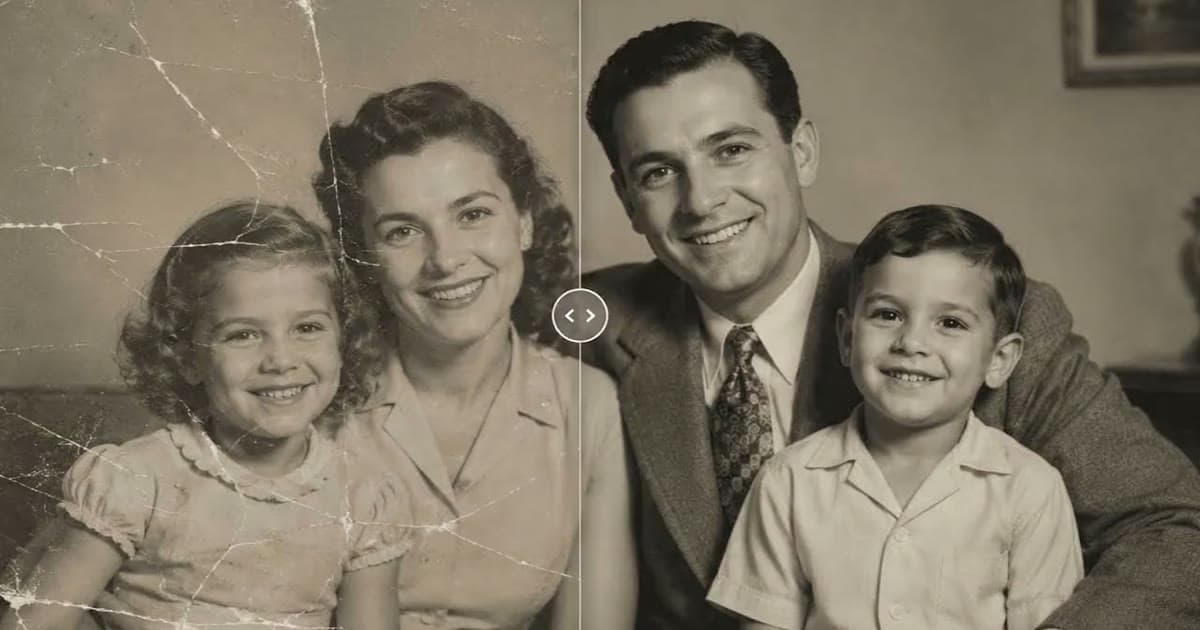
See what Restore brings back from a faded scan while leaving its palette alone.Try Photold
When Colorize is the step you actually want
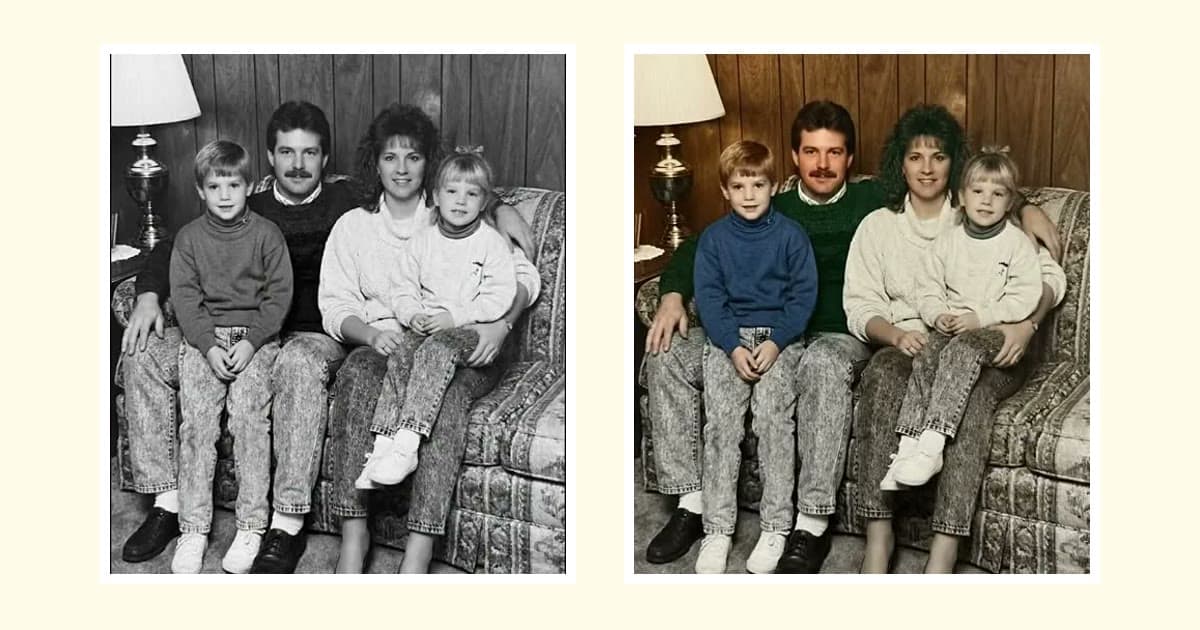
Sometimes what you miss is color rather than contrast. That is Colorize, a separate step that comes after repair. It adds natural, slightly muted colors plausible for the era. They are an interpretation, not a historical record, as we explain in are colorized photos accurate?, so keep the uncolored version too. Our guide to colorizing black-and-white photos has the steps.
| What you want | What to use |
|---|---|
| More tone in a black-and-white or sepia photo | Restore |
| A black-and-white or sepia photo in color | Restore, then Colorize |
| A color print without its orange cast | White balance and levels by hand |
| A color print too far gone to correct | You can try Colorize, but the colors will be new, not recovered |
How to stop further fading
The file is safe once it is backed up, but the print still depends on where you keep it.
- Keep it cool, dry and stable. The Library of Congress advises 21°C / 70°F or below and 30 to 50% relative humidity. The US National Archives sets wider limits: below 24°C / 75°F, and relative humidity below 65% to prevent mold but not below 15%, which causes brittleness. Aim for the stricter figures if you can.
- Know what matters for your print. Relative humidity is the single most important factor for most prints. For color photos and film negatives, temperature is the controlling factor, and the Library recommends 4°C / 40°F or below. Few homes can manage that, so use the coolest stable spot you have and treat your scan as the insurance.
- Choose the right room. Avoid attics, basements, vents, fireplaces, radiators and exterior walls.
- Use photo-safe materials. Choose enclosures and boxes that passed the Photographic Activity Test (ISO 18902). Suitable plastics are uncoated polyester, polyethylene and polypropylene. Avoid colored, "magnetic" or sticky album pages.
- Keep negatives apart from prints, since some negatives give off harmful gases.
- Keep prints out of direct sun. A photo on a sunny wall is a good candidate for a framed copy, with the print itself stored away.
Our guide to preserving old family photos goes through storage in full, and how to restore old photos covers other kinds of damage you may find along the way.
Frequently asked questions
Why do old color photos turn red or orange?
The dyes in a color print fade at different rates, so the balance between them shifts. The Library of Congress names temperature as the controlling factor for color photos, so warm storage does them no favors.
Can a yellowed photo be fixed?
On a scan, usually. Convert a yellowed black-and-white photo to grayscale and adjust levels, or try an AI repair tool. The print itself stays as it is.
Will Restore turn my sepia photo black and white?
No. Restore keeps the palette, so sepia stays sepia and black and white stays black and white. Colorize is the separate step for adding color.
Where should I store old photos to stop them fading?
Somewhere cool, dry and stable, in photo-safe boxes, away from attics, basements, radiators and exterior walls. The Library of Congress advises 21°C / 70°F or below and 30 to 50% relative humidity.