Photold
AI, Photoshop or a Professional: How to Restore a Photo
By the Photold team · · 4 min read
Photold is our own app, so we are not neutral here. What we say about other apps comes from their own public pages, checked on the date shown.
Start with an AI tool for most family photos, use Photoshop or another editor when you want control over a specific problem, and go to a professional restorer when a photo is irreplaceable and badly damaged. These routes work well in sequence: an AI attempt costs little and shows you quickly whether a photo needs more.
We make Photold, an AI tool, so we have a stake here. We think AI is the right starting point rather than the answer to everything, and we will say where it falls short.
The three routes compared
| AI app | Photoshop or similar | Professional restorer | |
|---|---|---|---|
| Effort for you | Seconds per photo | Minutes to hours per photo | Finding one, then briefing them |
| Skill needed | None | Considerable | None |
| Control | Limited to the options given | Complete | Through your feedback |
| Main risk | Invented or changed detail | Your time and visible edits | Cost and waiting |
| Best for | Most damage, many photos | One specific flaw | Irreplaceable, heavily damaged photos |
When an AI app is enough
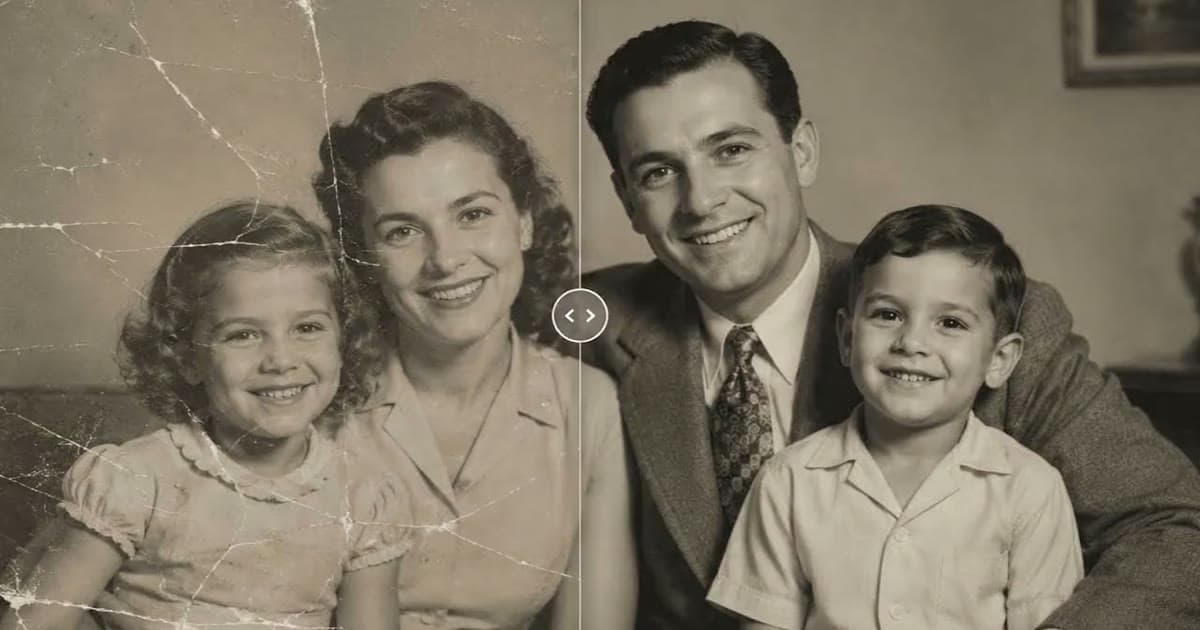
AI suits scratches, dust, creases, moderate tears, stains and fading on photos where the faces are still mostly there. It is the only practical option for a whole album. It also gives you an instant answer about a photo, since you can look at the result and decide whether to go further. You can start with our guide to restoring old photos.
The limit is reconstruction: where damage hides the detail, the tool generates something likely rather than recovering what was there. That matters most on faces, as we explain in does AI restoration change faces?
Find out quickly how far AI gets with your photo.Try Photold
When Photoshop earns its place
Manual editing is for targeted work where you decide exactly what changes. Traditional clone and healing tools let you repair one area and leave the rest untouched. Adobe also has a Photo Restoration neural filter with image enhancement, face enhancement and scratch reduction sliders, which it labels a beta filter, and a Colorize filter you can refine with color pins.
A sensible combination is to run the photo through AI, then fix what it got wrong by hand, masking the original face back over a changed one if necessary. Other editors offer similar clone and healing tools if you do not want a subscription.
When to pay a professional
- A large part of a face is missing, and you have other photos of that person to work from.
- The photo is the only image of someone, and it matters too much to accept a guess.
- You need a physical object treated. Digital retouchers work on a copy, while a conservator treats the print itself. Those are different specialists.
- You need a historically careful result, such as for a museum, a publication or a family history you will share widely.
How to brief a restorer
- Provide the best scan you can, and ask whether they want the original or will scan it themselves.
- Send other photos of the same people, at around the same age if possible.
- Tell them what matters most: faces, the background, or staying close to the original look.
- Ask to see a low-resolution proof before final delivery, and how many rounds of changes are included.
How to decide, photo by photo
- Scan it. Whatever comes next, you need a good digital copy.
- Try AI. If the people still look like themselves and the damage is gone, you are done.
- If one area is wrong, fix it by hand or ask someone with editing skills to help.
- If faces are wrong or too much is missing, and the photo matters, take the original scan to a professional.
For the AI options, see the best photo restoration apps. Whatever you choose, keep the untouched scan and the original print, because tools keep getting better.
Frequently asked questions
Is AI restoration as good as a professional?
For common damage it can be very good and takes seconds. A skilled professional is still better where judgment matters, such as a face with missing areas, because they can work from other photos and talk to you.
Can I restore photos in Photoshop as a beginner?
Yes, for small repairs. Clone and healing tools are learnable in an afternoon on minor scratches. Rebuilding missing parts of a face takes far more practice, so start with the easy parts.
Should I send a professional the original print?
Ask first. Many digital retouchers only need a good scan, which keeps the original safe at home. If the print itself needs treatment, that is a job for a conservator.