Photold
How to See Yourself Younger With AI
By the Photold team · · 5 min read
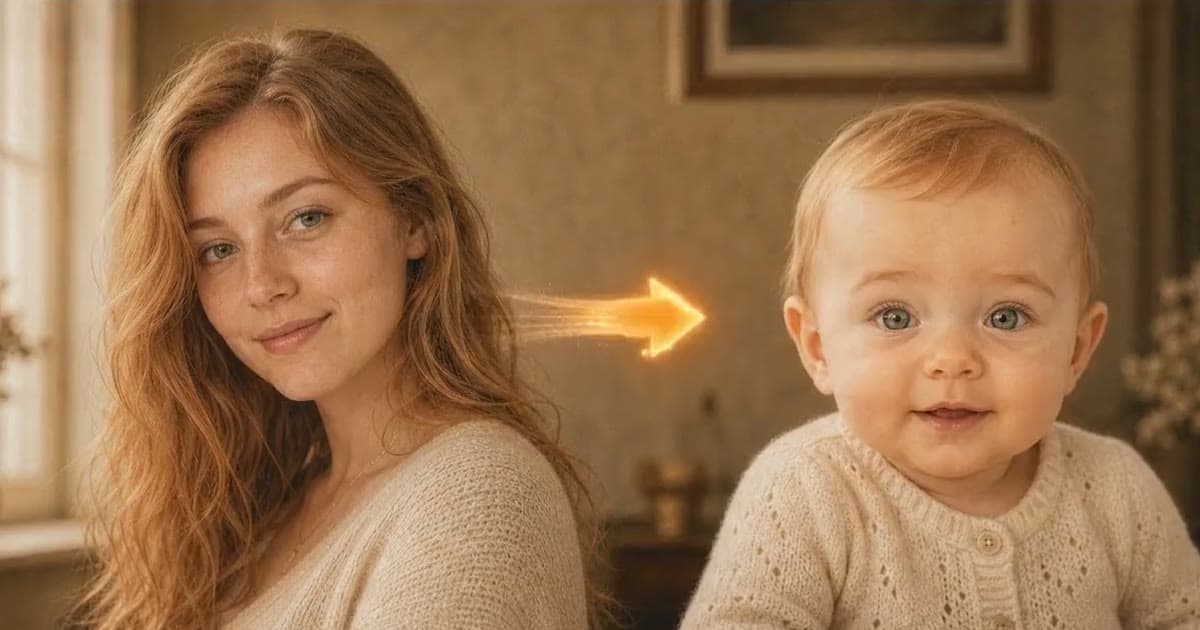
Seeing yourself younger takes one good photo and a target age. Use a sharp, well-lit, front-facing picture of yourself as you look today, upload it to an AI tool and pick the age you want to see. In Photold, this feature is called Younger You: you choose a target age range and get a new image of how you might have looked.
The word to hold on to is "might". The app has never seen you at that age. The result is an imagined picture built from your face today, not a record of your past. That makes it fun, and it also sets up a good game: hold it up against your real childhood photos and see what it got right.
Pick a target age that fits what you want
The age range you choose changes what kind of picture you are asking for.
| Target | What you are really asking for | Good for |
|---|---|---|
| A decade or two back | The same face with smoother skin and fuller cheeks | Comparing with photos from that time |
| Your teens | A bigger change, and more of it is imagined | School reunion jokes |
| Childhood | A different set of proportions, and nearly everything is invented | Family fun and side-by-side games |
Closer ages leave more of what the photo really shows. The further back you go, the more the app has to make up. If you are unsure, try two ranges from the same photo and compare them.
Use a sharp, well-lit, recent photo of your face
It can feel natural to use an old favorite. A recent photo is the better start, because the tool needs to see your features as they are, with no scan damage or film softness in the way.
- Sharp. Your eyes should stay crisp when you zoom in. A blurry source leaves the app guessing at the features it is meant to keep.
- Well lit. Soft daylight from a window you are facing is ideal. Hard side light and overhead shadows can look like lines and hollows.
- Front-facing. Look at the camera with your chin level. A turned head hides part of what makes your face yours.
- Unfiltered. Skip beauty filters and small copies from chat apps. A filter has already changed the face the tool starts from.
- Uncovered. Take off sunglasses and hats, and move hair away from your eyes.
Got a sharp photo of your face? See which younger you the app imagines.Try Photold
What happens with a child-age target
A child-age result should look like a real child, not a tiny adult. Children have different proportions from grown-ups, so expect a rounder face, with hair and clothes that fit that age. That also means the likeness gets looser. Think of it as a portrait of a child who shares your features, rather than you at seven.
It cannot know about the gap in your teeth, the scar from your bike, the haircut your mother gave you or the fact that you were a skinny kid. None of that is in a photo of you today. If your family says "that looks nothing like you back then", they are probably right, and that is part of the fun.
Compare it with your real childhood photos
This is the best use of the feature, and it takes a few minutes.
- Find a real photo of yourself at a known age, and scan the print with your phone if you only have it on paper.
- Make a Younger You image with the target age range that includes that age.
- Put the two side by side on one screen.
- Go through the eyes, eyebrows, ears, hairline and smile. Note what matches and what the app invented.
- Show both to someone who knew you then. They are the best judge, and the argument is half the fun.
Do not let the two get mixed up afterward. A picture that looks like a childhood snapshot can easily be mistaken for one later, so give the file a name that says it is AI-made and keep it away from your real childhood photos.
Fun ways to use the result
- Guess the real one. Show a real childhood photo of a sibling next to an imagined one, and let the family vote.
- A birthday card. Pair the imagined child with the grown-up, and a line about how little has changed.
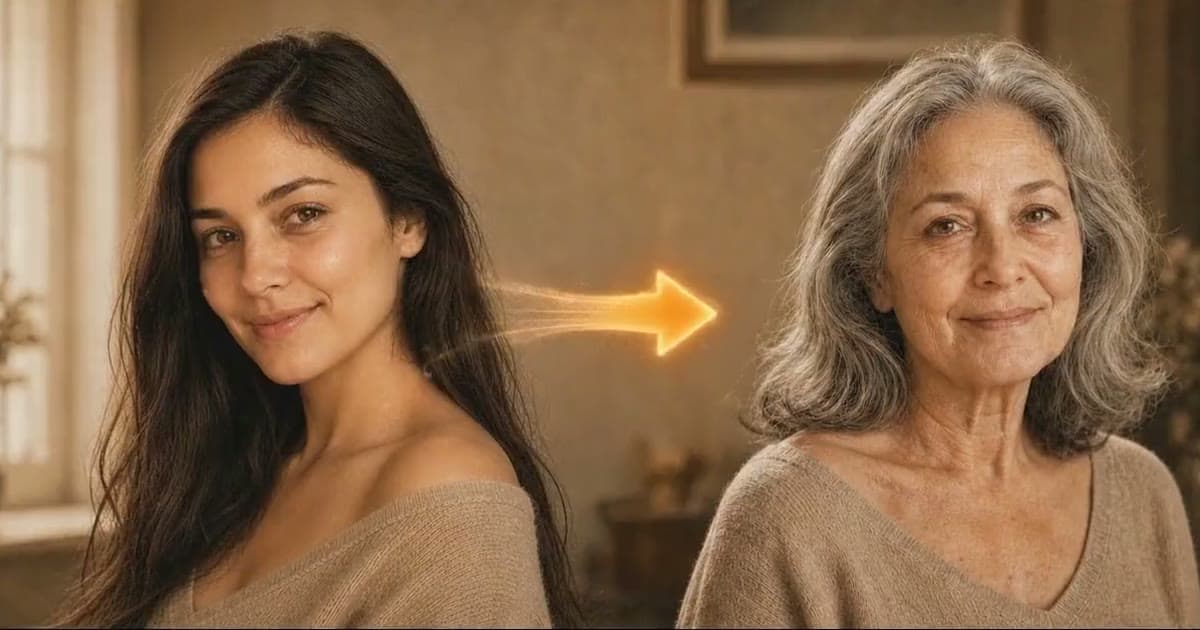
- One face, three ages. Use one source photo for a younger image and an older version of yourself, and put today in the middle.
- A trip through time. Follow it with a time travel photo, which keeps you and changes your clothes and surroundings.
Using a photo of someone else? Ask them first. A younger version of a parent or friend is still their face. And do not treat the result as proof of how anyone looked. Our article on how AI can change faces explains why an AI image can drift from the real person.
Frequently asked questions
How can I see what I looked like when I was younger?
Your real photos are the only record. An AI tool can show you an imagined younger face from a recent photo, which is fun to compare with them.
Is a younger face from AI accurate?
No. It is an imagined picture, not a record. The tool works from your face today and knows nothing about how you really looked as a child.
What is the best photo for a younger face?
A sharp, recent, well-lit photo of you facing the camera, without filters, sunglasses or a hat. Results vary with the source photo, so try a second one if the first looks off.
Can I try Younger You for free?
Photold is free to download, and the AI tools are part of Photold Pro. On the Photold website you can try one image feature once for free without an account, and Younger You is one of them.