Photold
Remini Alternatives for Restoring Old Photos
By the Photold team · · 4 min read
Photold is our own app, so we are not neutral here. What we say about other apps comes from their own public pages, checked on the date shown.
Remini is a capable face enhancer, but the right alternative depends on what your photos need. For repairing old family photos with damage, look at Photold or Renew, which is the same kind of app. For a family history project, look at MyHeritage. If you want a broad editor, try Picsart or Fotor. For a slightly soft recent photo, you may not need anything beyond what your phone has.
We make Photold, so read this with that in mind. Everything we say about other products comes from their own official pages, read in November 2026, and we leave out prices because they change and differ by country.
What Remini does well
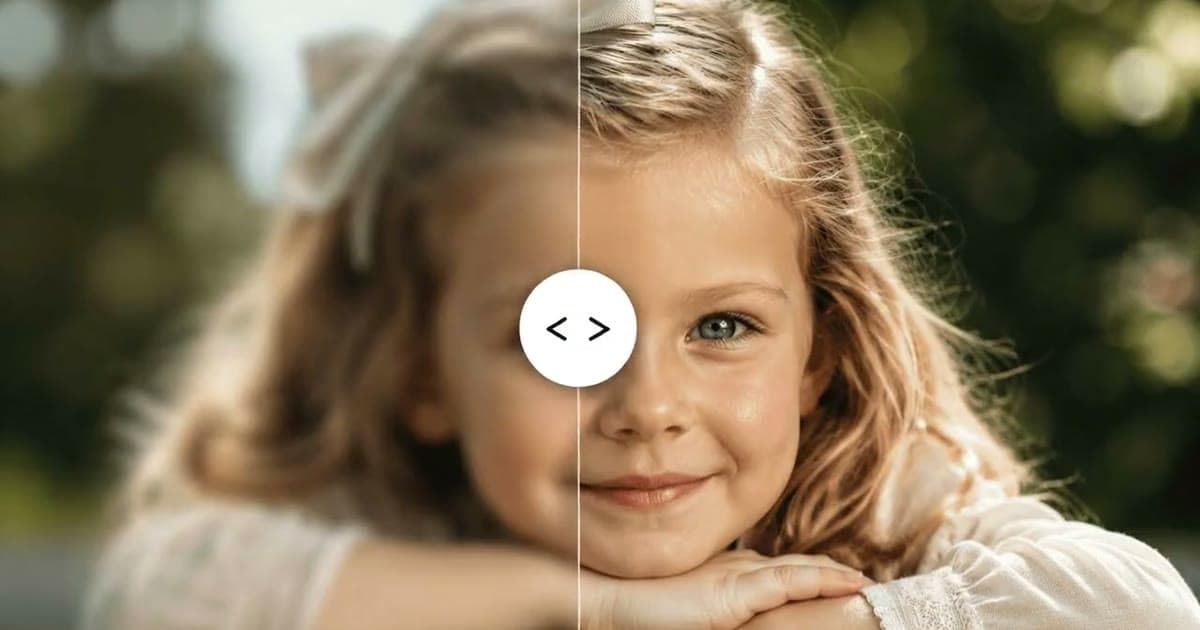
Remini, from Bending Spoons, is an AI photo enhancer on the App Store and on the web. Its pitch is one tap from old and blurry to clear and HD, and its listing also mentions repairing old, blurry and scratched photos. For a blurry portrait that needs a quick lift, that simplicity is the appeal.
Why people look for an alternative
These are the practical reasons to check other options. They may or may not apply to you, so weigh them against your own photos.
- You need color or motion. The App Store listing we read did not mention colorizing or animating portraits.
- You want the face left alone. Strong enhancement can make someone look smoother or different from the person you remember. This risk applies to AI tools generally, and it is worth knowing how to spot it.
- The way it charges does not fit. The listing shows weekly, monthly and yearly subscription lengths, and it notes that it contains advertising. A project of a few photos may suit a different model.
- You want a clear retention statement. Compare privacy policies before uploading photos of relatives. Here is what to look for.
Which alternative fits which job
| Your goal | Worth trying | Why |
|---|---|---|
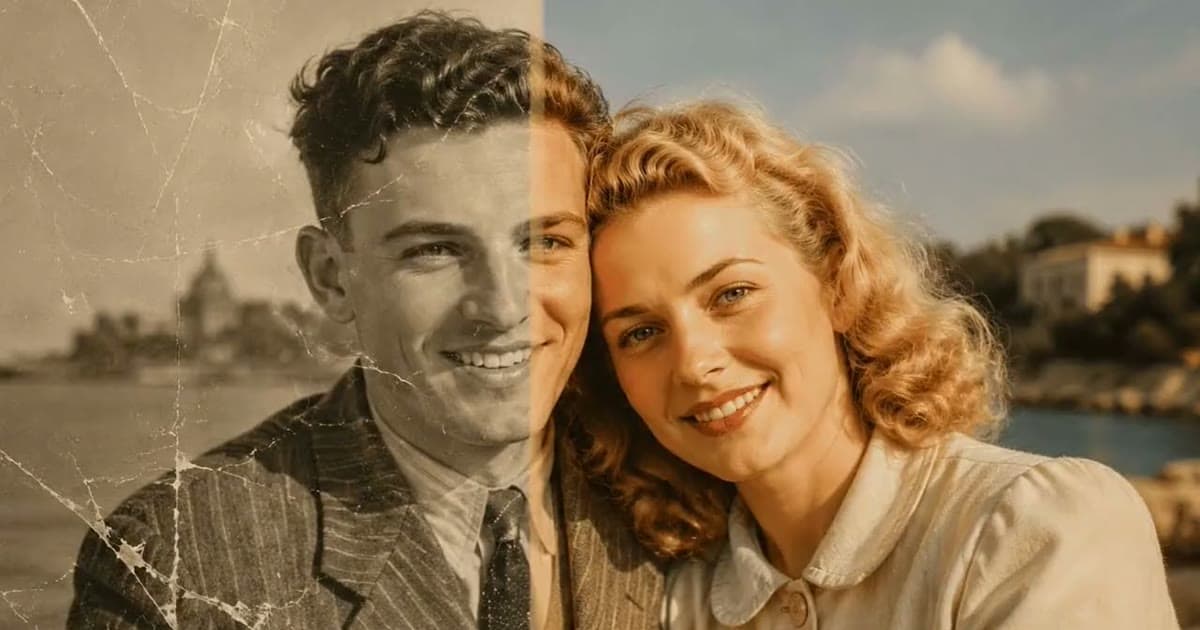
| Repair scratches, tears and stains | Photold, Renew, Fotor, Picsart | Each lists damage repair on its own page |
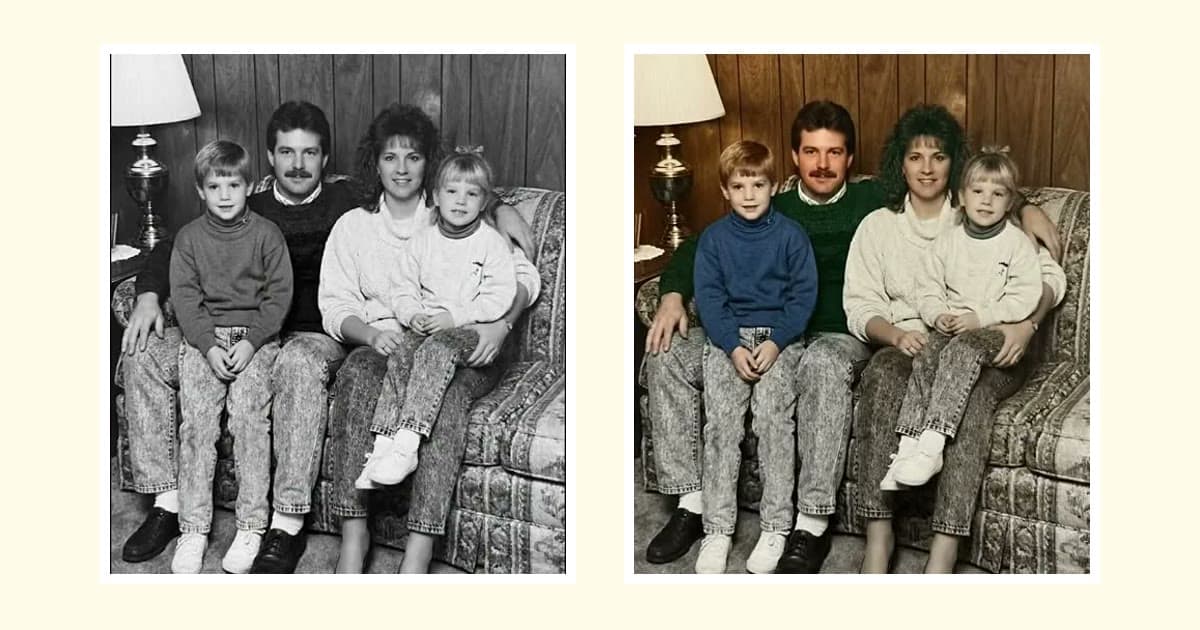
| Colorize as well | Photold, MyHeritage, Renew, Fotor, Picsart | Each lists colorizing |
| Animate a portrait | Photold, MyHeritage, Fotor, Picsart | Each lists adding motion to portraits or family photos |
| Work inside a family tree | MyHeritage | The photo tools sit beside its genealogy service |
| Scan negatives with your phone | Photold | The mobile app has a Negative Scan mode |
| Control every detail | Photoshop | Manual tools plus optional neural filters |
Photold
Photold is made for old photos. Restore repairs physical damage and keeps the original palette, and its other tools handle colorizing, HD enhancement and animation as separate choices, so you decide how far to go. You can try one image feature once for free on the website without an account. The AI tools are otherwise part of Photold Pro.
Put a photo you know well through it and judge the faces yourself.Try Photold
Renew
Renew is another focused restoration app, with App Store and Google Play apps and a web service. Its site lists repairing torn, faded and damaged pictures, colorizing, HD enhancement and animation. Its pricing page describes a free trial and a subscription, and lists saving without a watermark as a paid benefit.
MyHeritage
MyHeritage pairs Photo Enhancer, In Color and Deep Nostalgia with its genealogy service. It suits people whose photos are part of a family history project, and its full use is tied to an account and a paid plan.
Picsart and Fotor
Both are general editors with restoration tools attached. Picsart says its basic online restoration is free, and Fotor gives new users free credits, with credits or a Pro+ subscription after that. Fotor also states that uploads are deleted within 24 hours. They suit you if you want an editor for other work too.
How to compare them fairly
Use the same photo in each, ideally one with a person you know well. A good scan gives every tool its best chance. Then compare at full size rather than on a small preview, and look at eyes, teeth, moles and skin tone. For a wider list, see the best photo restoration apps.
Frequently asked questions
Is there a free alternative to Remini?
Several tools have limited free options, including Picsart, Fotor and a one-time free try on the Photold website. Free tiers usually limit resolution or the number of photos. See free photo restoration for the trade-offs.
Can a Remini alternative colorize photos?
Yes. Photold, MyHeritage, Renew, Picsart and Fotor all list colorizing. Treat the colors as a plausible interpretation rather than a record of the original scene.
How do I stop a Remini subscription?
App Store and Google Play subscriptions are managed in your phone's subscription settings. Deleting an app does not by itself cancel a subscription, so cancel it there.