Photold
How Does AI Photo Restoration Work?
By the Photold team · · 6 min read
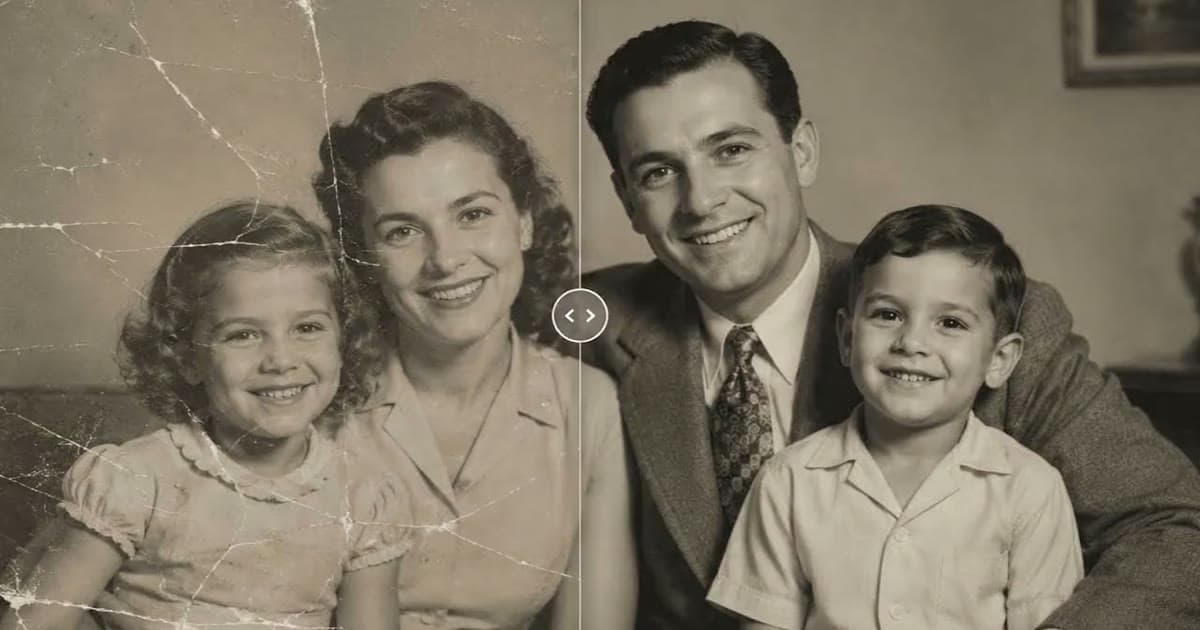
AI photo restoration works by prediction. A model is trained on a very large number of images until it has learned what photos usually look like. Given a damaged photo, it generates a likely repaired version. It does not look anything up, and it has no knowledge of your family.
That one idea explains both the good results and the bad ones. A scratch across a plain wall is an easy guess, and the guess will be fine. A scratch across an eye is a guess too, and there it can change who the person looks like.
What the model learns in training
Imagine someone who has spent years looking at photographs. They have not memorized each one, but they have picked up patterns: how light falls on a cheek, how a collar folds, what brick looks like, how film grain differs from a scratch. A model does something similar, in numbers rather than words.
Training happens before you ever use a tool. When you upload a photo, the model applies what it has already learned. At Photold, we do not use your photos to train AI models.
What happens when you give it a damaged photo
The details differ from tool to tool, but the outline is much the same.
- The image is sent to the model. With Photold, it goes through our servers to our AI providers, Google (Gemini API) and eachlabs, which may run models of other providers.
- The job is described. The tool says what it wants done, such as repairing damage or adding color, and what to leave alone.
- The model reads what is there: shapes, tones, faces, and what looks like damage rather than part of the scene.
- It generates an image. Where the photo gives clear information, it follows it. Where it does not, it fills in what usually goes there.
- You get a new file back. It is a new picture based on your upload, so details can change even away from the damage. That is why the check at the end matters.
Recovering versus reconstructing
Think of a letter with a coffee stain on it. If the stain covers part of "we arrived safely this morning", you can fill in the word with confidence, because what is left settles it. That is close to recovering. If the stain covers the name of a town, you can still write a town name that fits. It will look right, and it will be made up. That is reconstructing.
AI tools do both, and the result does not show you which is which.
| In your photo | What the tool is doing | How far to trust it |
|---|---|---|
| Faded shadows and highlights | Recovering: the detail is in the scan, only faint | Fairly far |
| Dust and fine scratches on a plain area | Close to recovering: the surroundings settle it | Fairly far |
| A tear through a wall or sky | Reconstructing, and little depends on it | Usually fine |
| A crack through an eye or mouth | Reconstructing, and a lot depends on it | Check with someone who knew the person |
| A very blurry face | Reconstructing nearly every feature | A likeness, not a record |
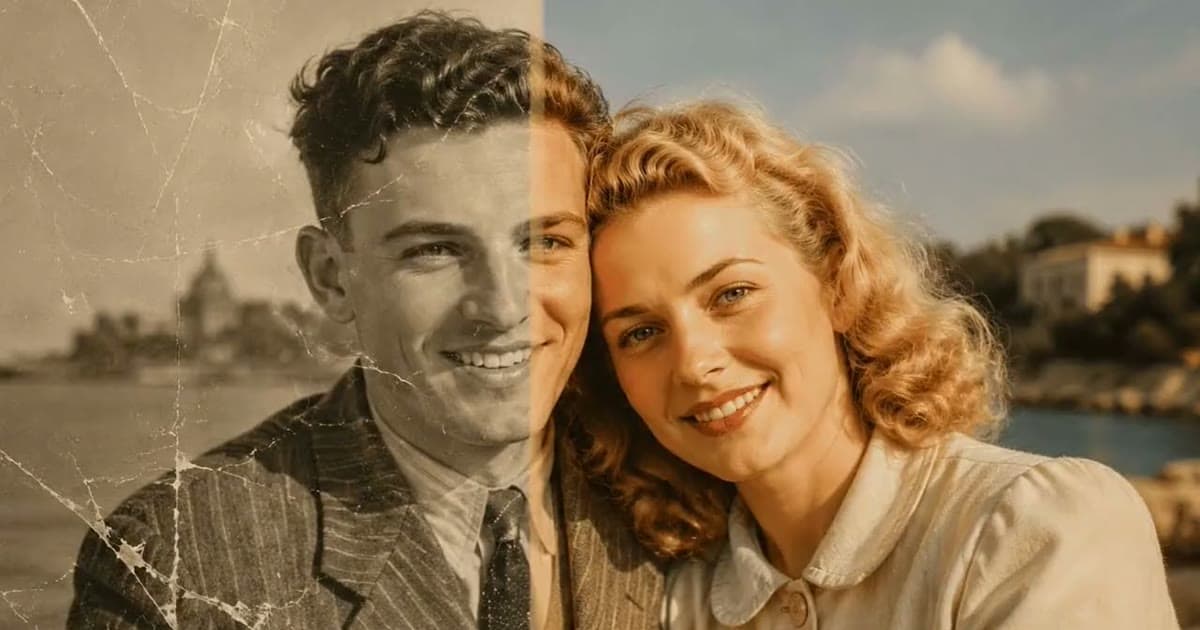
| Color on a black-and-white photo | Reconstructing: color was never in the file | Plausible, not recorded |
Run a scan through Photold and look closely at what was kept and what was filled in.Try Photold
Why results vary, and why faces and text are hard
Results vary with the source photo. A clean, sharp scan leaves less to guess. So when a result disappoints, try a better scan first, as our guide to restoring old photos explains.
Faces are hard because you are an expert at them. A small shift in an eyelid, which you would never notice on a tree, can make someone look like a stranger. The model knows faces in general, not this face. We go through the signs in does AI restoration change faces?
Text is hard because letters have to be exact. A model knows what writing looks like better than it knows what one particular sign said, so it can produce shapes that look like words and mean nothing. Be suspicious of badges, shop signs and small inscriptions in a result, and read them from your scan.
Repair, colorize and enhance are different jobs
They sound like one thing, but each asks a different question and carries a different risk. That is why it helps to run them as separate steps and check each one.
| Job | The question it answers | The risk | In Photold |
|---|---|---|---|
| Repair | What was under this damage? | Inventing detail in the damaged areas | Restore, Remove Scratches |
| Colorize | What color was this likely to be? | A plausible color that is wrong | Colorize |
| Enhance | What would this look like if it were sharper? | Adding detail that was never there | HD Enhance |
Why it matters what a tool tells the model to keep
Left alone, a model is pulled toward what photos usually look like: smoother skin, neater teeth, tidier framing. A vague request to make a photo better gives it room to do all of that. A restoration tool has to set limits and say what must stay: the palette, the framing, the faces. When you compare tools, read what each one promises to leave alone as closely as what it promises to fix.
Here is what Photold aims for. Restore keeps the palette, so black and white stays black and white and sepia stays sepia, and by design it does not crop, restage, or change faces, expressions or skin tone. HD Enhance must not change identity or complexion. Colorize does not lighten skin. These aims reduce changes but cannot rule them out, because fine detail hidden by damage is reconstructed, not recovered. A person who knew the subject is the best judge of the result.
For what happens to the files themselves, see whether it is safe to upload family photos.
Frequently asked questions
Does AI restoration recover the real detail in a photo?
Only where a trace of it survives, such as in faded shadows. Detail fully hidden by damage is reconstructed, which means it is a likely version rather than what was there.
Does the AI know what my relative looked like?
No. It has your photo and general patterns learned from other images. That is why you should compare the result with other photos of the person, or ask someone who knew them.
Why does the same tool work well on one photo and badly on another?
Results depend on how much information the source holds. A large, clean portrait leaves little to guess, while a tiny or damaged face leaves a lot.
Is my photo used to train the AI?
It depends on the service, so read its privacy policy. Photold does not use your photos to train AI models.
Can AI restore text on an old sign or document?
Not reliably. If the letters are hidden, a model may produce shapes that only look like writing, so read important text from the scan itself.