Photold
How to Combine Two Photos Into One
By the Photold team · · 5 min read
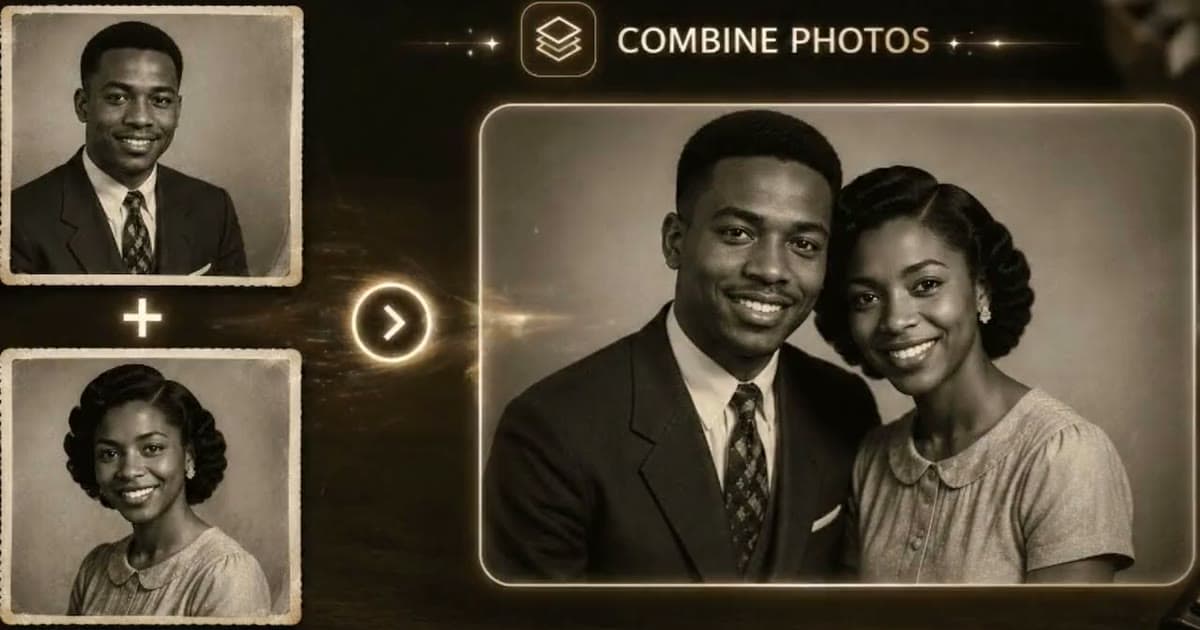
Combining two photos into one works best when the two already have something in common: a clear view of each person, a similar pose and similar light. From there, an AI tool can bring them into a single image. Photold has a feature called Combine Photos for this: it puts the people from both photos under one light, with matching perspective, shadows and film look. An image editor can do the job by hand too, but matching the light is the hard part.
The classic use is the photo that never existed: a grandfather and the grandchild he never met, two sisters who lived on different continents, a parent missing from a wedding album. It can be a touching picture. It is also a made image, and it needs a label. More on that below.
Choose two photos that already agree with each other
The closer your two photos are to begin with, the less the tool has to change, and the more each person still looks like themselves.
| Check | Easier to combine | Harder to combine |
|---|---|---|
| Framing | Both head and shoulders | One full-length, one close-up |
| Pose | Both facing the camera | One in profile, one straight on |
| Light | From the same side in both | From the left in one, the right in the other |
| Camera height | Both at eye level | One from below, one from above |
| Sharpness | Both clear | One sharp, one badly blurred |
| Damage | Both repaired first | Scratches and creases still showing |
You will rarely find a pair that passes every row. Framing and light are the two worth looking hardest for. If you have several photos of one person, start with the one closest to the other person's photo.
Do any repair as a separate step. If a photo is scratched or faded, restore the old photo first, so the damage does not get carried into the new image.
Why the app matches light, perspective and film look
You notice a pasted-in person before you can say why. One face lit from the left next to one lit from the right, shadows that disagree, a crisp phone picture beside soft, grainy film. Those are the giveaways, so the app works on them together: one light, one perspective, one set of shadows, one film look.
There is a trade-off. To make two people look like one shot, the image has to be remade, not just cut and pasted. That is why the next step matters.
Have two photos that belong together? See what Combine Photos makes of them.Try Photold
Check the likeness, one person at a time
- Put the result next to the first source photo and cover the second person with your hand. Look at the eyes, nose, mouth and any marks.
- Do the same for the other person.
- Check the skin. Neither person should look paler or darker than in their own photo.
- Look where the two touch: shoulders, arms and overlapping hair. Odd joins tend to hide there.
- Ask someone who knew them. A person who knew the subject is the best judge.
If a face has drifted, try a different source photo for that person rather than running the same pair again. A closer match in framing and light often helps more than another attempt.
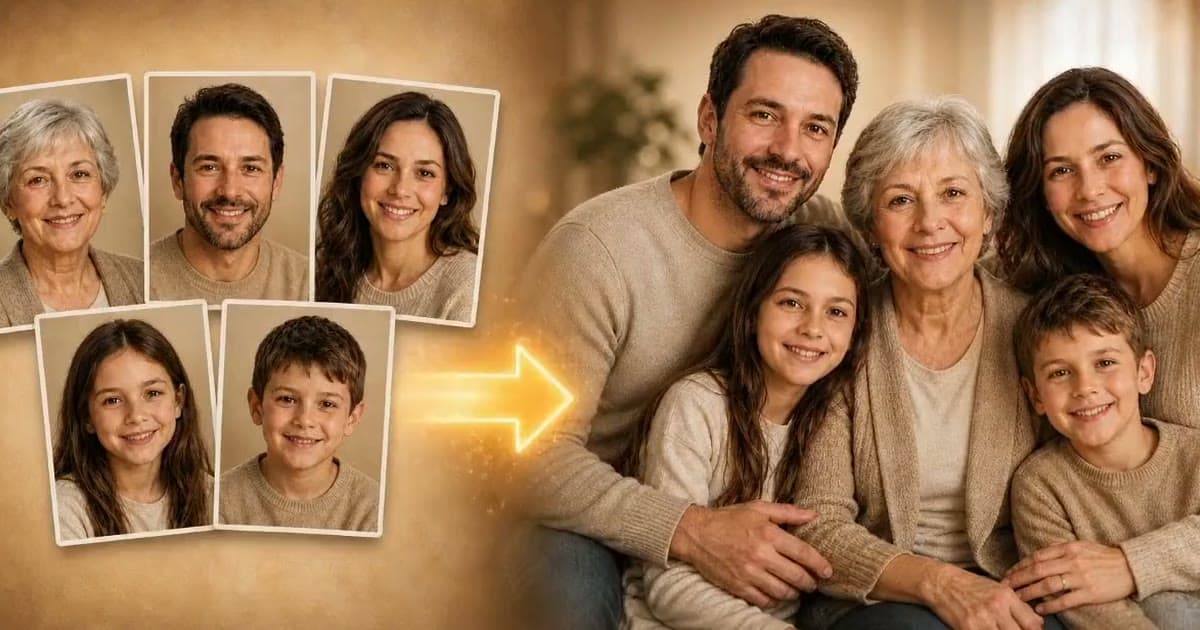
Working with a bigger group? See our guide to making a family portrait from separate photos.
Label it as a made image in your family archive
This step is easy to skip and hard to fix later. A convincing picture of two people together looks like evidence that they met. Decades from now, someone sorting your files will have no way to know otherwise, and it could end up in a family tree as fact.
- Name the file plainly. The Library of Congress suggests descriptive file names, so include the words "AI combined" next to the two names.
- Keep the sources with it. Save both source photos in the same folder, so anyone can see what it was made from.
- Write on the back of any print. Something like: "AI-made image, combined from two photos. These two people were never photographed together."
- Say so when you share it. One line in the message is enough.
Good uses, and when to ask first
- A framed gift for an anniversary or a big birthday. We have more gift ideas with restored photos.
- An album page for someone who died before a wedding or a birth. Our guide to restoring photos of loved ones covers these pictures with care.
- Two old friends or siblings who lost touch, as a picture for a reunion, with their agreement.
Ask permission before you use a photo of someone else, and talk to close family before you combine someone who has died. Do not put together two people who chose not to be pictured together, such as ex-partners or estranged relatives.
Frequently asked questions
Can AI combine two people from different photos?
Yes. A tool such as Photold's Combine Photos puts the people from two photos into one image, under one light and with matching perspective, shadows and film look.
Do the two photos need to be from the same era?
No, since the film look gets matched, but the closer the photos are in framing and light, the less each person has to change. Check both faces carefully when the photos are very different.
Will a combined photo look real?
It can look convincing, but results vary with the source photos. Compare each person with their own photo before you keep it.
Should I tell people a combined photo is AI-made?
Yes. It shows a moment that never happened, so label the file and any print, and keep the source photos with it.