We make TennisAI, an AI coaching app, so we have an interest in this question. The app's own listing says its analysis does not replace professional coaching, and that is the honest starting point. This guide uses standard coaching knowledge, public listings read on 4 November 2026, and the research named below. We have not run a test of our own, and we have not tested other AI apps.
We also looked for a published trial that compares an AI tennis app with a human tennis coach, and we did not find one. That does not mean none exists, but you should be careful with anyone who claims the question is settled.
What an AI coach and a human coach each do well
| Job | AI coach app | Human coach |
|---|---|---|
| When it is available | Any time you have a clip or a question | At booked lesson times |
| What it sees | Only what is in the video, from one angle | You from any angle, plus your effort and your reactions |
| Live correction | None while you are hitting | Can feed the exact ball that shows the problem, then change it right away |
| Explaining a fix | General guidance, and answers to follow-up questions | Can try several explanations until one works for you |
| Choosing what matters | Reports on what it was built to score | Can pick the one fix that matters now and leave the rest for later |
| Tactics and match play | Limited to what you film or describe | Can watch you compete and plan around your game |
| Pain and injury | Cannot assess it | Can notice a problem and send you to a medical professional |
| Record of your sessions | Keeps scores and history in the app | Depends on the coach |
| How you pay | Fixed subscription | Usually per lesson, and it varies by place and coach |
Where AI helps
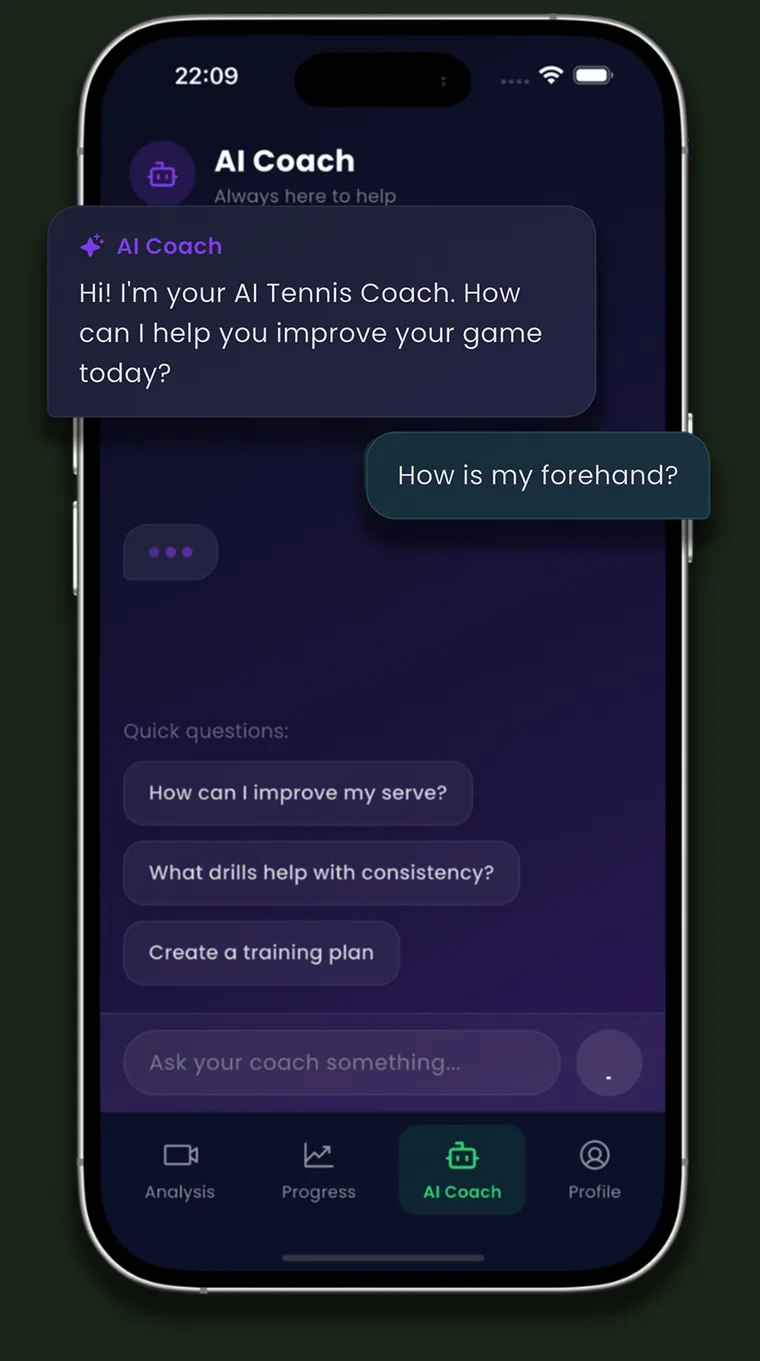
AI is useful because it is there when your coach is not. You can upload a clip after a practice on your own and get feedback without waiting for your next lesson. You can also ask a basic question without booking anything. In TennisAI, the feedback covers things like swing path, timing, contact point and footwork, and the chat handles questions about strokes, drills and match preparation.
Where AI falls short
An app can judge only what the camera shows. A bad angle, low light or a stroke that is not in the clip all limit the result, and one clip may not represent your game. TennisAI's output is an automated estimate and can be wrong, and it scores only forehand, backhand and serve. For a closer look at these limits, read what AI swing analysis can and cannot judge.
A good coach also does things no score can show. They know that your backhand fails when you are tired, that you stop moving your feet when you are nervous, or that today is the wrong day for a new idea.
What the research says about video feedback
Video is the base of most AI coaching apps, and the evidence on it is mixed. A 1985 trial with novices and a 1989 trial with 66 intermediate players both found no clear added benefit from video feedback in learning the serve. In the 1989 trial, training twice a week for five weeks beat no training, but video was no better than traditional training.
Newer work is more positive but narrower. A 2024 study of 23 intermediate players found that those who chose when to get video feedback improved their tactical performance more than those on a fixed schedule. The feedback came from coaches, and there was no group without video. A 2022 review of 11 physical education studies found that video feedback seems effective, and more so than verbal feedback alone, but it was not about tennis.
None of this proves that an app will improve your tennis, or that it will not. What video plainly does is show you what you actually do, which is often different from what you feel. The 2024 study also gives you one idea to try: ask for feedback when you want it, and do not review every clip.
How to think about the cost
Lesson prices vary by country, club and coach, so we will not give you a number. Do this sum with your own figures instead.
- Write down the price of one private lesson and one group lesson near you.
- Write down the price of an app. As one example, TennisAI costs $12.99 a month or $39.99 a year in the US as of November 2026. Other apps have their own prices, listed in our comparison of tennis video analysis apps.
- Compare what each one buys. A lesson buys live attention and correction from someone who knows tennis. An app buys repeated checks of what a clip shows.
- Count your real use. An app you open twice a month costs more per use than it looks, and so does a lesson plan you never practice.
This leads to a simple rule. If you do not yet know what to fix, spend the money on a lesson. If you know what to fix and want to check it between lessons, an app can do that job.
How to combine an AI coach with a real coach
Here is a four-week routine you can try. It is our suggestion and has not been tested in a study. Tell your coach what you are doing, because a good coach will want to know what you are hearing from elsewhere.
- Week 1, in the lesson: ask for one fix and one way to check it on video. Ask if you can film three good repetitions on your phone, so you have a reference.
- Weeks 2 and 3, in practice: film three minutes of that stroke from the same spot each time. Our filming guide shows where to put the phone. Upload it, and read only the feedback that relates to your fix.
- Weeks 2 and 3, on court: ask the chat for a drill that fits your fix, and set a target. For example, hit 20 forehands and count how many land past the service line. Write the count down each session.
- Week 4, before the next lesson: choose one clip that looks right and one that looks wrong. Show both to your coach and ask whether they see what the app saw.
- If they disagree: follow your coach and ask why. Your coach saw you live and knows your history, while the app saw one clip.
If your coach works remotely, video tools built for coaches may fit better than an AI app. OnForm, for example, is made for coaches who give video feedback and message athletes. Its listing focuses on golf, baseball and softball, and its FAQ names tennis among technique-focused sports.
When to choose a real coach first
- You are a beginner. Grip, basic swing shapes and the serve motion are easier to learn with someone correcting you live, and early habits can be hard to change later. Our beginner practice plan covers when to get lessons.
- You feel pain. Stop playing and see a medical professional. No app can assess pain, and a stroke score says nothing about it.
- You are making a big technique change. A new grip, or a switch from a two-handed to a one-handed backhand, often makes you worse for a while. A coach can tell a normal dip from a wrong turn.
- You have been stuck for weeks. The same problem keeps coming back. A person can often find the cause behind the symptom, such as late preparation behind a forehand that goes long.
- You are preparing for competition. A coach can watch you under pressure and build a plan around your opponents and your strengths.
When an AI coach alone is a reasonable choice
An app on its own can make sense if you have had some lessons and know the basics, if no coach is nearby, or if lessons are not affordable right now. It also suits a player who practices alone and wants one specific thing checked.
To see if it is working, ask yourself three questions after two weeks:
- Can you name the one thing you are working on?
- Can you see that thing in your own video when you pause it?
- Has it changed between your first clip and your latest clip, filmed from the same spot?
If you answer no to two or more, book a lesson, even just one. It will probably give you a clearer direction than more clips will. You can read more about the app on the TennisAI page.
Frequently asked questions
Can AI replace a tennis coach?
Not fully. AI can check what a video shows and answer questions, but it cannot feed you balls, watch you live or notice pain. TennisAI's own listing says its analysis does not replace professional coaching.
Is an AI tennis coach accurate?
It varies by app and by video, and we have not tested other apps. Treat any score as an automated estimate. In TennisAI, results vary with video quality, camera angle and lighting, and the output can be wrong.
Should a beginner use an AI tennis coach?
Start with lessons if you can, because a coach can correct your grip and basic swing while you hit. Filming yourself early is still useful for seeing progress, and an AI app makes more sense once you know the basics.
How do I use video with my tennis coach?
Ask first, then film the stroke you are working on from the same spot each time. Bring one or two short clips to your lesson and ask one specific question about them.
See this in your own game
Upload a practice or match video to TennisAI and get feedback on your forehand, backhand and serve.

Sources
- Apple App Store: Tennis AI listing
- Emmen et al., Journal of Sports Sciences (1985): video-modelling and video-feedback in learning the tennis service by novices
- Van Wieringen et al., Journal of Sports Sciences (1989): video-feedback in learning the tennis service by intermediate players
- van der Meer et al., Research Quarterly for Exercise and Sport (2024): self-controlled video feedback and tactical skills in tennis
- Mödinger, Woll and Wagner, German Journal of Exercise and Sport Research (2022): video-based visual feedback in physical education
- OnForm: website
- Apple App Store: OnForm listing (US)
This article is general information about tennis training and does not replace a coach or medical advice. Stop and see a professional if something hurts. TennisAI is made by Pace, the publisher of this blog.
