This article is about reading the number on your own UTR Sports profile. For how the algorithm builds it, see what is UTR. For how to raise it, see how to improve your UTR.
What the number and its decimals mean
UTR is a weighted average of up to 30 of your recent match ratings from the last 12 months. It describes your level in recent matches. It does not describe your potential, your best day or your strokes.
UTR Sports shows two decimals, and its help pages use examples such as 5.20 or 7.61. The decimals matter because the scale is narrow: one whole point is a big gap in level. UTR Sports does not publish a size for a meaningful decimal difference. A practical way to read it: the whole number tells you the tier, and the decimals tell you where you sit inside it.
- 1–4 U12 boys, U12 to U14 girls, many club adults
- 4–8 U12 to U16 boys, U14 to U18 girls
- 8–14 College players and Futures pro women
- 14–16.5 Division I men, ATP and WTA pros
- 6.5 Example: 6.50
Singles and doubles are separate ratings
Your profile can show a singles rating and a doubles rating. UTR Sports says the two algorithms are very similar. In doubles, the algorithm compares the average rating of one team with the average of the other, and both partners move by the same amount.
So your doubles number follows your doubles results and your singles number follows your singles results. They can differ, and that is normal. Compare like with like: a singles rating against a singles rating.
Projected (P) or reliable?
One match is enough for a projected rating, and UTR Sports shows it as (P) on the profile. Its help pages say the rating becomes reliable after approximately five matches, while another page says about six. Treat five to six as the working number.
Projected (P)
About one to four matches
- Shown with a (P) next to the number
- A first estimate that can move a lot
- Fine for finding matches, weak for judging progress
Reliable
About five to six matches or more
- No (P) on the profile
- Rests on a real sample of recent matches
- Worth tracking over time
Reliability also works the other way. A match counts for more when your opponent has a reliable rating. If you beat someone whose rating is still projected, that result carries less weight, and it can shift later when their rating firms up. The UTR Sports help pages do not describe a separate reliability gauge, so rely on the (P) marker and your match count.
Verified or not
A Verified UTR has a blue checkmark and counts only results from verified events. Your standard UTR counts those plus casual and practice matches. Every player has a standard rating, and you have a Verified one if you played a qualifying event in the past 12 months. The two numbers can differ because they use different results. Coaches and tournament providers look at Verified, so check which one an entry form or coach wants.
Read your profile in five steps
- 1Pick the formatLook at singles or doubles, not a mix of both.
- 2Check for (P)If it is there, treat the number as an early estimate.
- 3Check VerifiedA blue checkmark means the number uses only verified events.
- 4Read the trendLook at the history line, not just today's value.
- 5Open the matchesSee which results counted and against whom.
Reading the rating history graph
The Stats tab of a player profile has a rating history line. It shows whether your rating is trending or stable. Pink dots are wins and gray dots are losses, placed by result date and opponent rating. Hover over a dot to see the date, opponent, opponent rating and score. As of November 2026, UTR Sports says Power Player subscribers can see up to 365 days of history.
Below it is a results analysis chart. It sorts the same matches by opponent rating and share of games won, the two main inputs to the algorithm. Dots above 50% against higher-rated opponents may raise your rating. Dots below 50% against lower-rated opponents may lower it. The Stats tab can also show the last 6 or 12 months, and all results or only the ones that count.
The doubles view is different. It draws a horizontal line at your current doubles rating, and each dot sits at the average rating of the opposing team.
Why it moves from day to day
The algorithm updates once every 24 hours, and small fluctuations are normal. UTR Sports lists these reasons for a move without a new match of your own:
- An opponent's rating changed, because your rating uses their current rating.
- An opponent's rating became more reliable.
- A result older than 12 months dropped off.
- Older matches carry less weight as time passes.
UTR Sports also offers a three-month trending rating, based only on your last three months and requiring at least three matches in that window. It is a view of recent form, not a replacement for your main rating.
What counts as a meaningful change
UTR Sports gives no threshold for a meaningful change, so this is a rule of thumb, not an official one. Ignore one-day moves. Look for a direction that holds across several new matches and across both the line and the dots. A single close loss to a lower-rated opponent can lower your rating even when you played well, so read it with the share of games you won.
How your number compares with others
There is no official label for a good UTR. A higher number means a stronger player, and the chart above shows the groups UTR Sports places in each range. Use it to find fair matches, not to rank yourself. UTR Sports notes that its NTRP figures are approximate, and other charts give different ones. If you also play USTA leagues, UTR vs NTRP compares the published charts, and which tennis rating should you use helps you pick one to follow.
Where your TennisAI estimate fits
TennisAI is an iPhone app. Its Progress tab keeps your session history and shows estimated NTRP, UTR, WTN and ITN numbers. They are estimates from your video analyses, not official ratings, and they do not change your UTR Sports profile. TennisAI is not affiliated with UTR Sports.
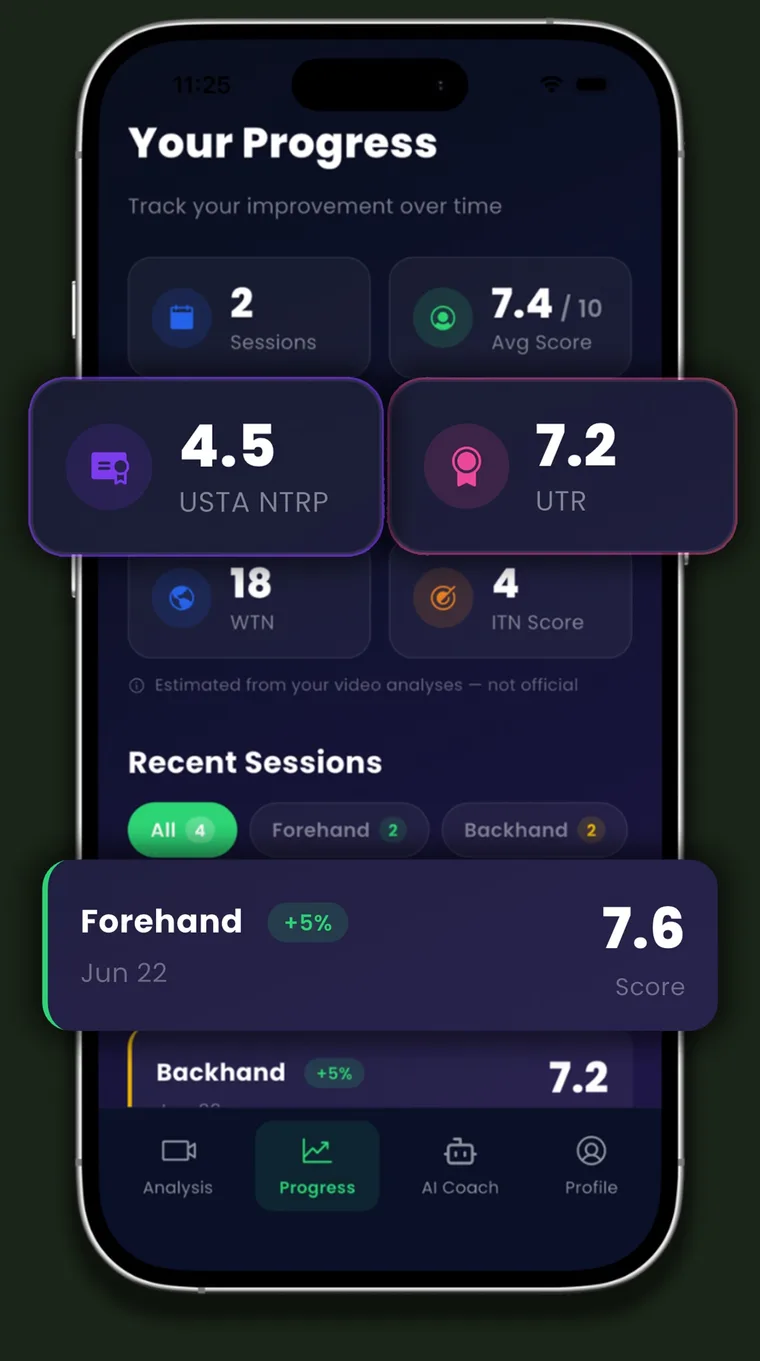
Use the estimate as a rough personal reference for how your strokes look over time. Results vary with video quality, camera angle and lighting.
Frequently asked questions
Why does my UTR have a (P) next to it?
It is projected. One match gives a projected rating, and UTR Sports says it becomes reliable after approximately five matches.
Are singles and doubles UTR the same number?
No. They are rated by similar algorithms but from your results in each format, so the two numbers can differ.
What does the blue checkmark mean?
It marks a Verified UTR, which counts only results from verified events. Every player also has a standard UTR that includes casual play.
How often does UTR update?
The algorithm updates once every 24 hours, so small changes are normal even if you have not played.
How big a change is meaningful?
UTR Sports publishes no threshold. A trend that holds across several new matches matters more than any one-day move.
See this in your own game
Upload a practice or match video to TennisAI and get feedback on your forehand, backhand and serve.

Sources
- UTR Sports Help Center: FAQ on the UTR Rating Algorithm
- UTR Sports Help Center: Projected rating and how to get a reliable rating
- UTR Sports Help Center: Advanced player metrics
- UTR Sports Help Center: Three-month trending UTR rating
- UTR Sports Help Center: UTR Rating and Verified UTR Rating
- UTR Sports Help Center: Why did my rating change when I have not played recently?
- UTR Sports Help Center: Understanding the Algorithm, Complete Summary
- UTR Sports: How UTR Works
This article is general information about tennis training and does not replace a coach or medical advice. Stop and see a professional if something hurts. TennisAI is made by Pace, the publisher of this blog. TennisAI is not affiliated with USTA, UTR Sports, the ITF or any official tennis association. Rating systems change, so check the official sources for current rules.
